
History
History is the family’s timeline: every bit of money in and out, every job approved or sent back, every pocket money payment, goal and family change, newest first.
Open it from Family › Records › History, or from the menu button in the header at the top of the app.
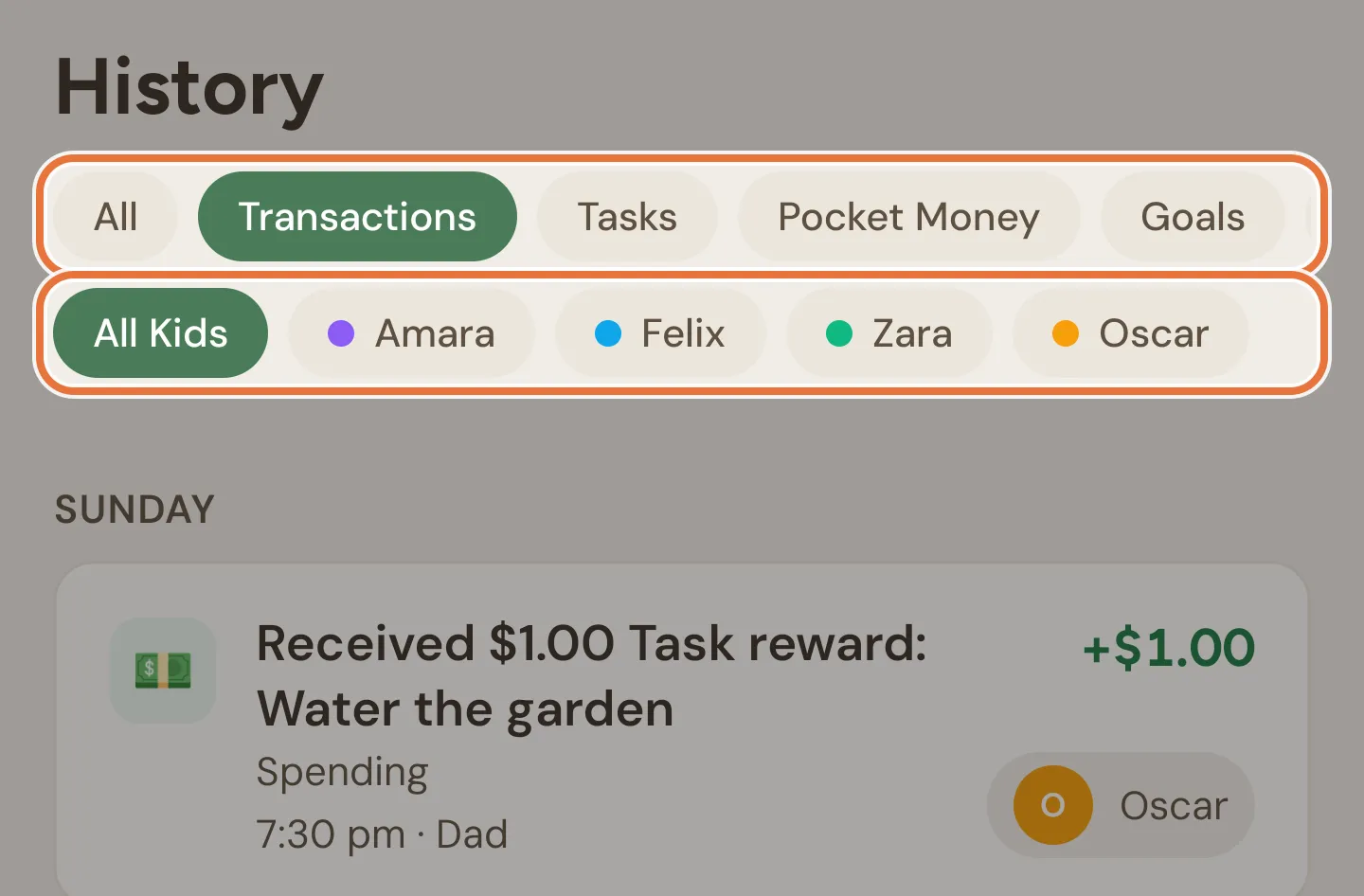
Filters
Section titled “Filters”Two rows of chips at the top. Use one from each row to narrow the list down.
| Chip | Shows |
|---|---|
| All | Everything |
| Transactions | Spends, rewards and transfers, and edits or deletions of them |
| Tasks | Jobs submitted, approved, sent back and excused, and changes to tasks |
| Pocket Money | Payments released, withheld and reversed, and schedule changes |
| Goals | Goals created, changed, reached, bought, abandoned and restored |
| Family | Changes to the family itself, like parents being invited, joining or leaving |
The second row is All Kids, then a chip for each kid (with their colour). Tap a chip that’s already selected to go back to all.
The list
Section titled “The list”Entries are grouped by day. Each one shows:
- An icon and a one-line summary of what happened.
- The bucket, where there is one.
- The time, who did it, and “edited” if a spend was changed afterwards.
- A parent’s note, in quotes, when a job was sent back with one.
- The amount, green with a + for money in and red with a − for money out.
- The kid it’s about.
When a job with a reward is approved, the approval and the money it paid are joined into one card.
Scroll down to load older entries. Pull down to refresh. A brand new family sees “Nothing recorded yet.”
Entry details
Section titled “Entry details”Tap any entry to open its details:
| Detail | Shows |
|---|---|
| DATE | The date and time, in your family’s time zone |
| BUCKET, or FROM and TO | Where the money went. Transfers show both buckets. |
| KID | Who it’s about |
| ADDED BY | Who did it |
| SPLIT ACROSS | For money shared between buckets, how much went to each |
| DECLINE NOTE | The note left when a job was sent back |
| EDIT HISTORY | Every change made to a spend, who made it and when |
Releasing withheld pocket money
Section titled “Releasing withheld pocket money”Changed your mind about a payment you held back? Filter to Pocket Money, tap the withheld payment, and tap Release pocket money. The full amount is paid into your kid’s buckets straight away.
The button only appears while the payment is still withheld, and only for parents. Once it’s released, the entry stays in History, but the button goes. For every payment in one place, with more options, use Pocket money runs.